WordPress Settings
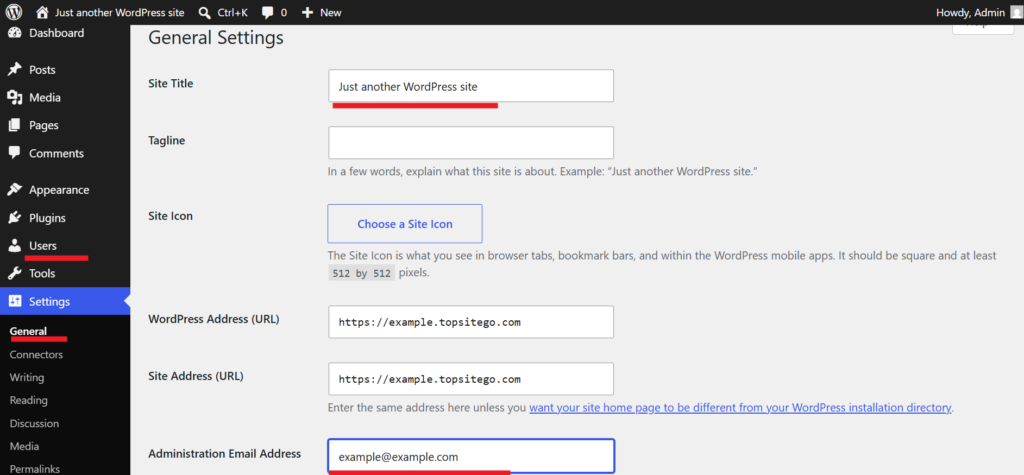
When you click on settings, the general settings will open. There you can set the name and description of the site. There you will also see the email address of the WordPress system administrator. For example, messages will be sent to the administrator’s email address if there is an error in WordPress.
There is also a section on the left side called “Users” where you can edit your user account information, for example, change your password.
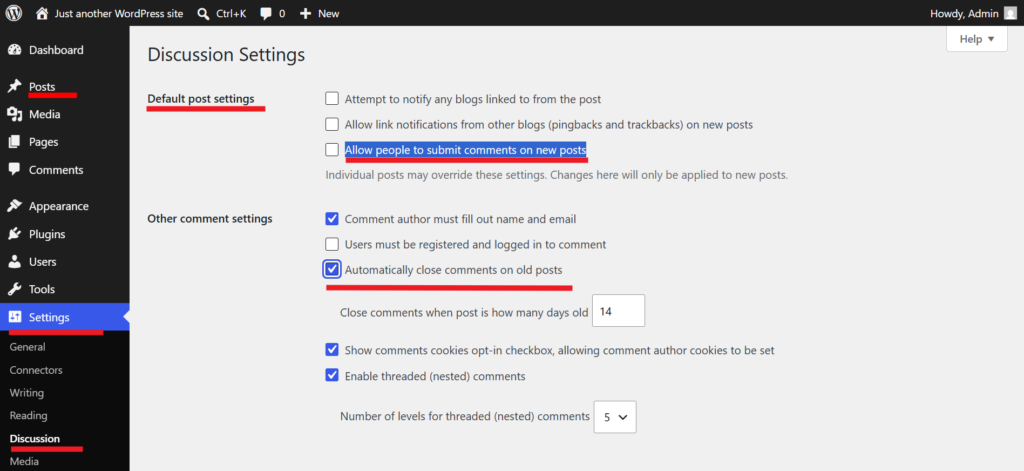
In the Discussion Settings section, for example, you can turn off commenting. This is useful if you’re getting spam comments on your blog posts.
WordPress has one article named “Hello world!” you can delete it from “Trash”
In the Permalink section, you can choose how the link endings will look. For example, one option is to select “Post name”, in which case the link ending will be just the page name. For example, if the page name is a blog, the link ending will be www.example.com/blog.